Choose a direction
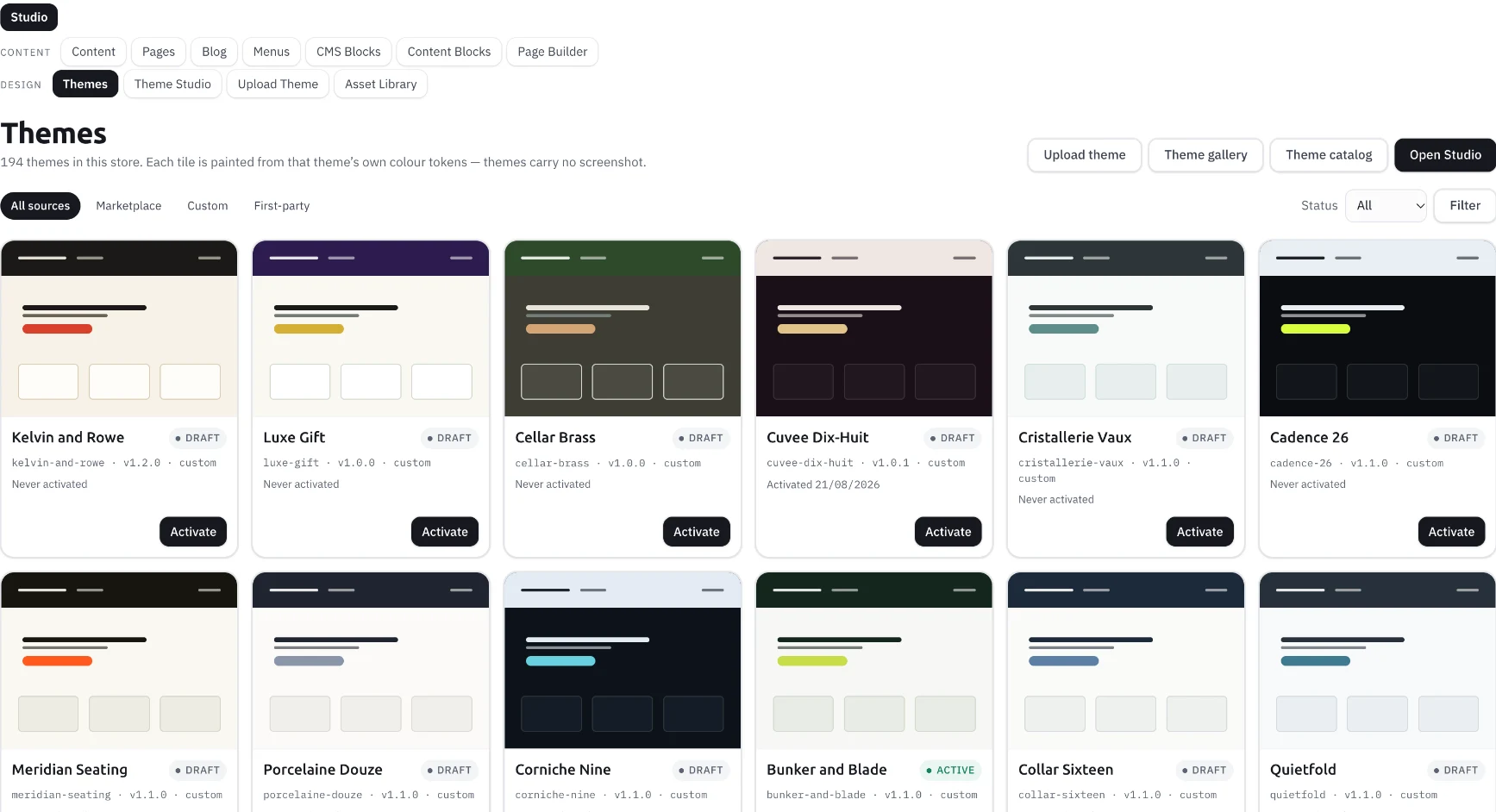
Compare theme starting points for different product stories. Think about photography, catalogue size and the decisions a shopper needs to make, rather than choosing a design on its cover alone.

MAKE IT YOURS
Give your brand a visual language across pages, products and shopping journeys. Start with a theme, then refine the details in Agora’s design workspace.

INSIDE THE PLATFORM
BUILT AROUND THE WORK
Compare theme starting points for different product stories. Think about photography, catalogue size and the decisions a shopper needs to make, rather than choosing a design on its cover alone.
Theme Studio brings colour, typography, spacing and surfaces into one place. Review these decisions together so product pages, navigation and supporting content feel like one brand.
Build sections around discovery, comparison and buying. A compelling hero creates attention; clear product information, navigation and purchase actions carry the decision forward.
THE BUSINESS BEHIND THE CAPABILITY
A colour choice, product image and navigation pattern work together. Inspect long names, dense collections and small screens before activating a design.
Use the catalogue and real brand material when reviewing a theme. A short sample headline will not expose every layout issue.
Decide who reviews content, activates the experience and checks the customer journey after a change.
CLOSER TO THE PRODUCT
Actual views supplied from Agora. Open each capture to inspect the controls and context. These views are separate from the interactive examples and their illustrative data.
SECTION LIBRARY
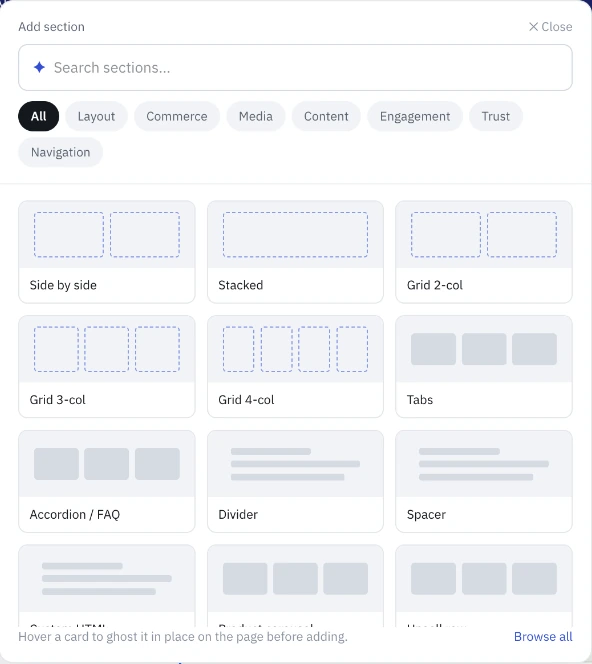
The section library exposes layout, commerce, media and content choices, including grids, tabs and FAQs.
CONTENT BLOCK
This supplied content form exposes a slot, locale, priority and draft state, with rich text, HTML and plain-text fields.
FOLLOW THE PROCESS
Match the structure to your catalogue and content, then inspect its available controls.
Apply brand colours, type and page composition while reviewing the preview.
Review small screens, text contrast, long product names and the publish or activation process for your setup.
Operating walkthrough · Review the exact configuration for your business.
A CLEARER PICTURE
The available gallery and included themes depend on your setup and plan. Review the current selection with the team.
The supplied editor includes section, page and content controls. The appropriate workflow depends on the page and active theme.
Start with the storefront implementation guide to distinguish visual configuration from a custom integration.
BUILD WITH AGORA
Bring your business, your ambition and the questions that matter. Let’s explore what you can build with Agora.