Build a recognisable experience
Configure screens, navigation, product presentation and brand choices in the app workspace. Use the phone preview to inspect how the experience fits together.

YOUR BRAND. THEIR HOME SCREEN.
Create a branded iOS and Android shopping experience within Agora. Shape the screens customers return to while managing the business behind the app in the same platform.

INSIDE THE PLATFORM
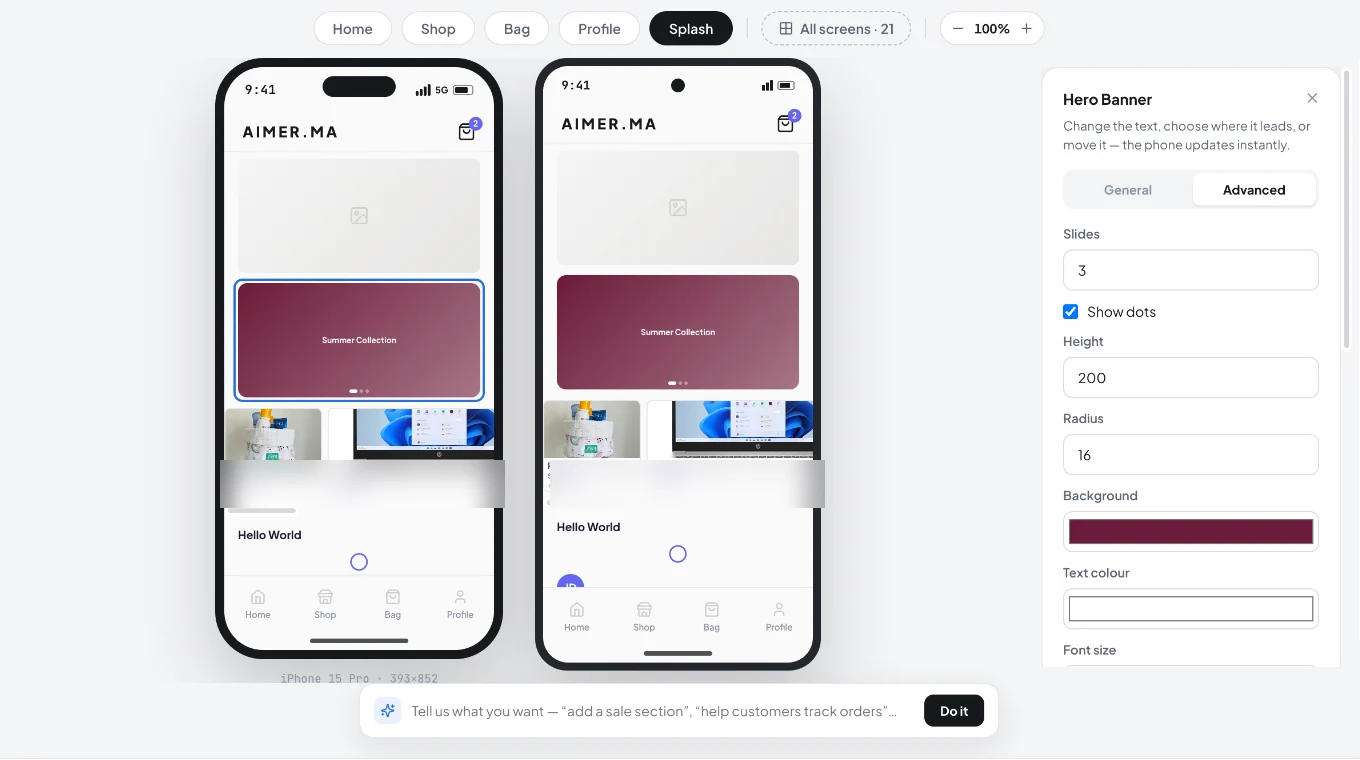
BUILT AROUND THE WORK
Configure screens, navigation, product presentation and brand choices in the app workspace. Use the phone preview to inspect how the experience fits together.
App selling belongs with your catalogue, customer relationships and order operations. Discuss account, stock and checkout continuity as a complete journey, rather than a collection of app screens.
A native app launch includes developer accounts, store listings, device testing and store review. Confirm ownership, submission responsibilities and maintenance before setting a public launch date.
THE BUSINESS BEHIND THE CAPABILITY
The app deserves its own navigation and interaction. It also belongs to the same catalogue and order operation as the rest of your business.
Review browsing, product options, account access, cart and checkout on actual devices.
Keep developer-account ownership, listing assets, release review and maintenance responsibility explicit.
INSIDE NATIVE MOBILE APPS
A native app needs more than a visual shell. Product discovery, identity, shopping actions and order follow-up need to work as a coherent customer experience. Agora’s app workspace brings screen composition and brand controls close to the same commerce context used by the business.
Shape the screens customers use to discover, browse, manage a bag and return to their account.
Inspect the visual choices within the app workspace, including colour and presentation settings.
Use the block library and product presentation controls to compose the shopping journey.
Define how customer identity and relevant account information work across the configured store and app.
Review the catalogue, stock and order relationships behind an app purchase.
Plan device testing, developer accounts, store listings, review and future releases as part of the app launch.
FOLLOW THE BUSINESS JOURNEY
An existing customer opens the brand’s app, explores the collection and chooses a product. The purchase should enter the configured business workflow with the right customer and item context. Before launch, the team checks that journey on actual devices and confirms who owns store submission and ongoing maintenance.
| What happens | What the team needs to resolve |
|---|---|
| A device-specific issue appears | Reproduce the journey on the affected device and include the release owner in the fix. |
| A store requests changes | Use the agreed publishing process to answer the review and prepare a corrected submission. |
| Catalogue information changes | Inspect how the configured app receives the update and how it appears in the customer journey. |
CLOSER TO THE PRODUCT
Actual views supplied from Agora. Open each capture to inspect the controls and context. These views are separate from the interactive examples and their illustrative data.
APP STYLING
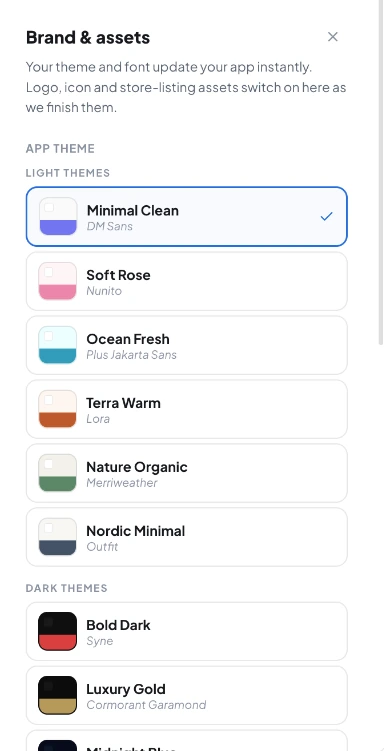
The supplied brand drawer offers theme and font choices. Its note identifies logo, icon and store-listing assets as still being completed in that captured version.
FOLLOW THE PROCESS
Select the relevant screens, apply brand assets and inspect product presentation.
Review account, browse, cart and checkout journeys on the devices you intend to support.
Confirm developer-account ownership, listing assets, privacy information and the submission process.
Operating walkthrough · Review the exact configuration for your business.
A CLEARER PICTURE
App options and service responsibilities vary by plan. Include them in your commercial discussion.
Agree the developer-account and publishing arrangement before launch; business-owned accounts should be considered in that decision.
No. App-store review is controlled by Apple and Google and depends on the submitted app and its compliance with their requirements.
BUILD WITH AGORA
Bring your business, your ambition and the questions that matter. Let’s explore what you can build with Agora.